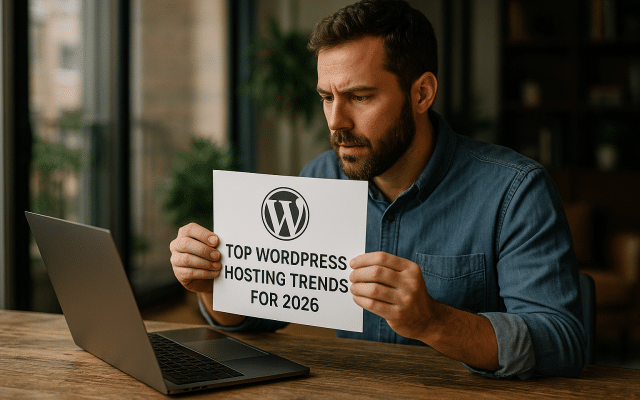
In the quickly moving world of the internet, having a top-performing website is like having a royal road to success. WordPress runs over 40% of all websites, so boosting its performance is vital for enhancing how users feel when they visit and for improving how search engines rank it. A site that flies open instead of crawling keeps visitors engaged and earns praise from those search engines.
In this article, we will explore some essential strategies that can significantly enhance your WordPress site’s performance in 2026, helping you stay ahead of the competition. We will discuss topics like choosing the best hosting, caching techniques, image optimization, plugin management, database cleaning, and best coding practices. Let’s set off on this adventure to transform your WordPress site into a speedy, efficient tool.
Choosing the Best Hosting Solution
The performance of your WordPress site starts with the right hosting provider. A reliable company, such as The PowerHost, offers cloud hosting specially designed for WordPress. This kind of service provides strong uptime, easy scaling, and quick speeds. With choices like Indian VPS Hosting, you can cut down delays for local visitors.
Managed WordPress hosting can also come in handy. These plans automatically update features, boost security, and come with performance improvements built in. According to a report from WP Engine, websites hosted on optimized platforms load noticeably faster than those on standard services. Additionally, using a Content Delivery Network (CDN) alongside your hosting can speed up the delivery of your content worldwide, making it a better experience for users.
Using Caching Strategies
One of the best ways to speed up your WordPress site is through caching. Caching lightens the load on your server by keeping temporary data and delivering it to visitors instead of hitting the database for every request. You can implement caching plugins like W3 Total Cache or WP Super Cache and turn on browser caching to cut down loading times.
Page caching saves a static version of your web pages, while object caching boosts database performance. Also, using server-side caching from your hosting provider can help avoid delays. A well-cached site can improve speed by as much as three times!
Optimizing Images for Quick Loading
Images often weigh down a webpage, making loading times sluggish. So, optimizing images is key. You can do this by using formats like WebP, which compress image size without losing quality. Programs and plugins like Smush or EWWW Image Optimizer can automate image compression during uploads.
Also, implementing lazy loading ensures that images appear only when visitors scroll to that part of the page, speeding up loading even more. A study by Google shows that both optimizing images and using lazy loading can dramatically enhance performance for mobile users, leading to increased engagement and fewer visitors leaving the site.
Managing Plugins Cautiously
While plugins can add a lot of functionality, if not managed wisely, they can slow down your website. It’s important to regularly check your plugins and remove any that you hardly use or that aren’t well-maintained since outdated plugins can also open security holes. Make sure that the plugins you keep are known for their performance and compatibility.
Using plugins focused on performance, such as security plugins or combining features (like those from The PowerHost solutions) can help make your website run smoothly without cutting corners. Optimize your plugins by sticking with the essential ones and considering combining multiple functions into fewer plugins.
Cleaning Up the Database
An organized and optimized database is crucial for keeping performance high. Unused revisions, spam comments, and transitory data can fill up your database and slow it down. Regular cleaning through tools like WP-Optimize or Advanced Database Cleaner can keep your database neat and fast.
Additionally, make sure your database tables are optimized using options provided by your hosting service. Scheduled maintenance and backups are important, especially before major updates or optimizations. The longer you wait to tidy up your database, the more it can hurt your site’s performance.
Highlighting Quality and Best Practices in Code
Finally, the code behind your WordPress site plays a big role in its performance. Following best coding practices can help ensure your site is lightweight and effective. Reduce HTTP requests by merging CSS and JavaScript files and using minification tools.
Choosing lightweight themes and plugins can also enhance your loading times. A poorly designed theme can slow your site down, so pick themes that are recognized for performance. Websites like the official WordPress Theme Repository have themes that are optimized for speed.
Conclusion
Improving your WordPress site’s performance in 2026 requires a comprehensive approach. From selecting an ideal hosting solution like The PowerHost’s Indian VPS Hosting to optimizing images and managing plugins effectively, each detail is important for ensuring fast loading times and a better user experience. Regular audits, using optimization tools, and sticking to best practices can lead to a very effective WordPress site. Make use of these strategies to prepare your website for tomorrow’s digital challenges!
Businesses planning their next launch can look into The PowerHost’s cloud hosting solutions to see how these strategies come together in real life.